General
- Settings > Keyboard > Text > Disable
Capitalize words automatically - Settings > Keyboard > Modifier Keys > Change
Caps LocktoControl - Settings > Trackpad > More Gestures >
Swipe between pages->Switch with three fingers - Settings > General > Enable
Use dark menu bar and Dock - TouchBar
- Settings > Keyboard > Customize Control Strip > Remove “Siri” button
- Finder
- Show hidden files by shortcut
Command + Shift + .
- Show hidden files by shortcut
Packages
Apps
- Karabiner Elements
Complex Modifications > Add rule > Import more rules from the Internet > Search by
For Japanese> Install > Enable following: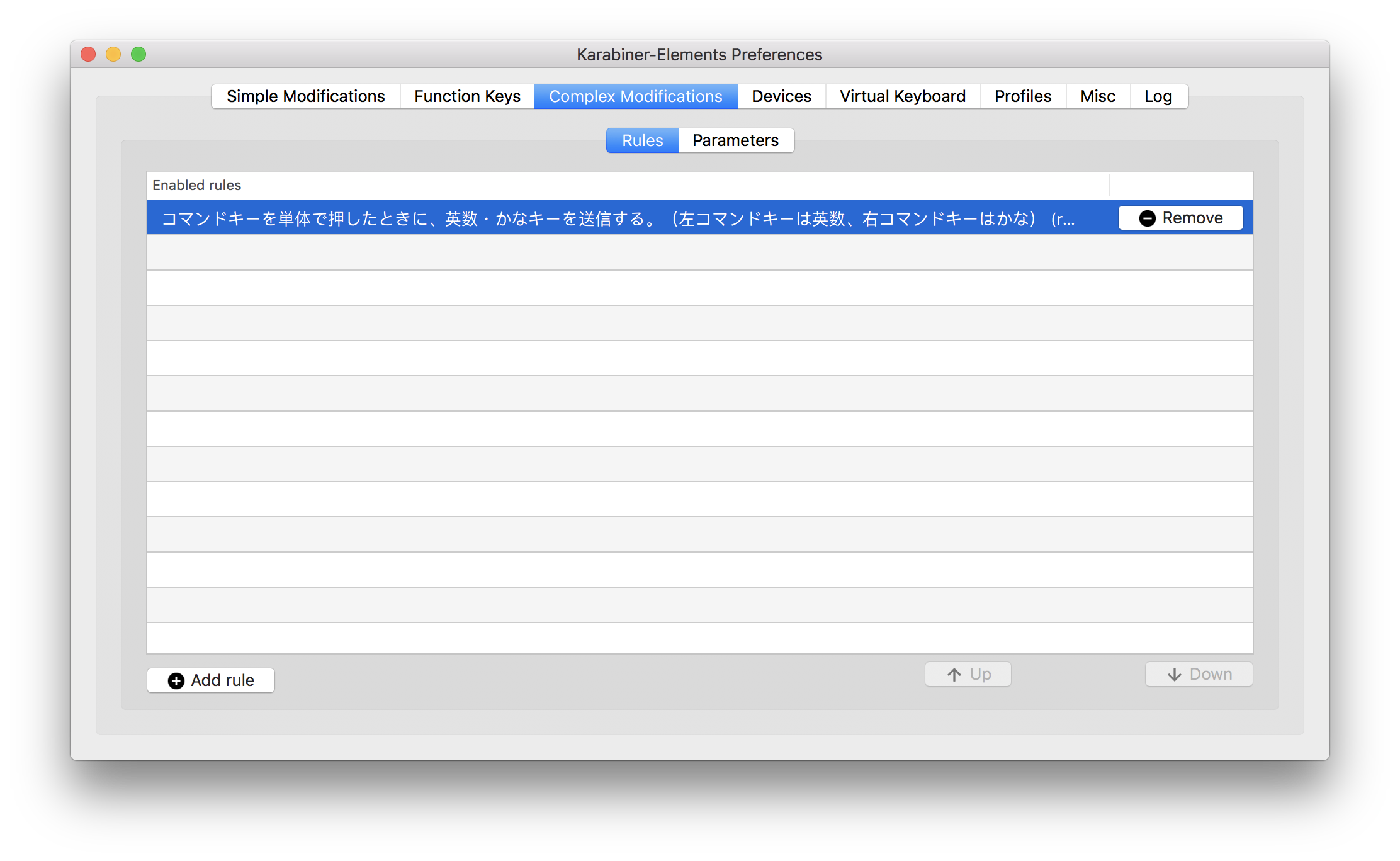
- 1Password Scan Barcode
- CotEditor
- iTerm2
- Preferences > Terminal > Scrollback Lines >
Unlimited scrollback - Preferences > Keys > Left ⌥ Key > Esc+
- Preferences > Terminal > Scrollback Lines >
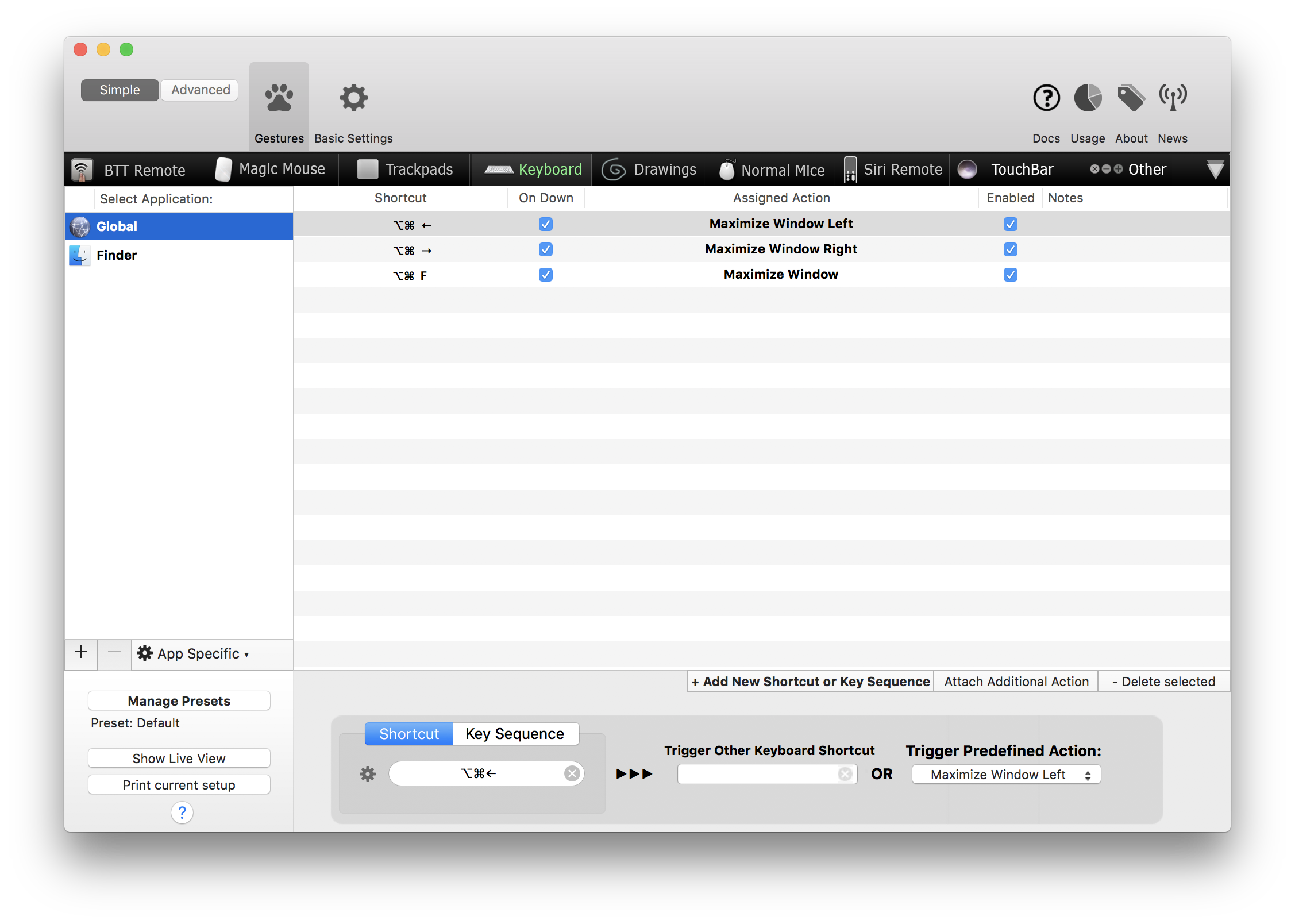
- BetterTouchTool
- Chrome
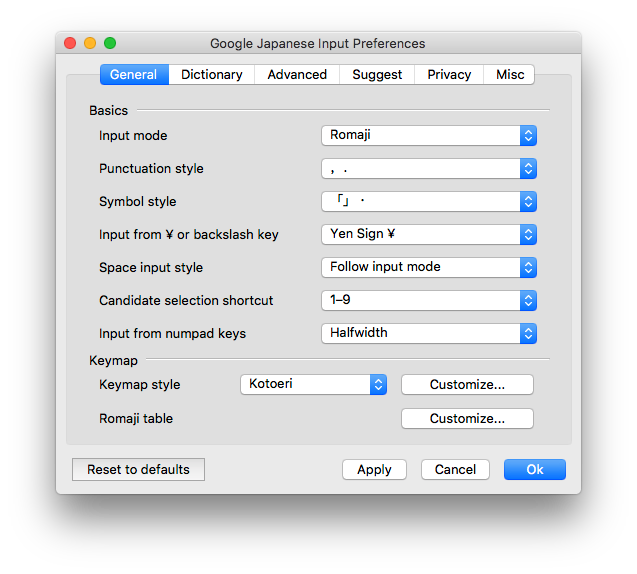
- Google IME
Google Japanese Input > Preferences > General > Change Punctuation style “,.”
- Slack for Mac
- Git
$ brew install git $ git config --global user.name "tanakaworld" $ git config --global user.email "yutaro.tanaka.world@gmail.com" $ git config --global core.editor emacs - Emacs
$ brew install - vim
$ brew install vim $ touch ~/.vimrc $ echo "syntax on" > ~/.vimrc - Docker
$ brew cask install docker $ open ~/Applications/Docker.app $ ln -s /Applications/Docker.app/Contents/Resources/etc/docker.bash-completion /usr/local/etc/bash_completion.d/docker $ ln -s /Applications/Docker.app/Contents/Resources/etc/docker-machine.bash-completion /usr/local/etc/bash_completion.d/docker-machine $ ln -s /Applications/Docker.app/Contents/Resources/etc/docker-compose.bash-completion /usr/local/etc/bash_completion.d/docker-compose Create a docker machine$ docker-machine create --driver virtualbox dev => Error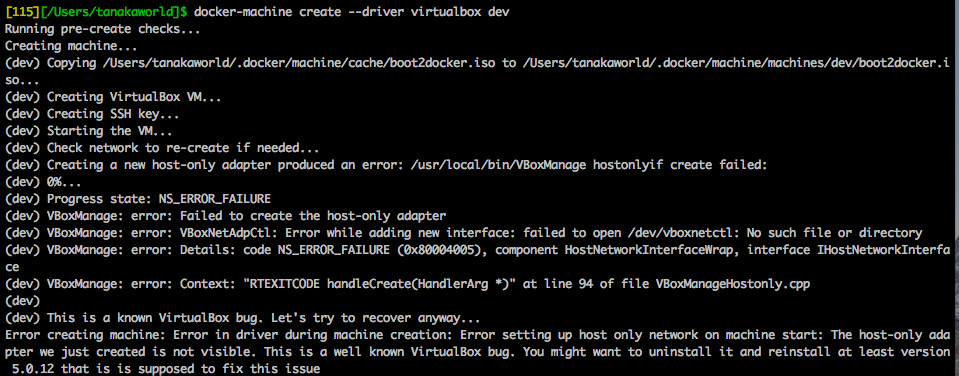 [Solved] Bump version of Virtual Box (v5.2.8 -> v5.2.12) and solved the error.
 - MySQL create mysql container in Docker
- Redis
create redis container in Docker
docker pull redis docker run --name redis -d -p 6379:6379 redis redis-server --appendonly yes - nodebrew
$ brew install nodebrewUpdate .bashrc
export NODEBREW_ROOT=/usr/local/var/nodebrew
NODEBREW_HOME=/usr/local/var/nodebrew/current
export NODEBREW_HOME
export NODEBREW_ROOT=/usr/local/var/nodebrew
export PATH=$PATH:$NODEBREW_HOME/bin
Install node - v6.9.1 - v6.14.2 - v.8.9.1 - rbenv
# this will also install ruby-build
$ brew install rbenv
Update .bash_profileeval "$(rbenv init -)" export PATH=$HOME/.rbenv/shims:/usr/local/bin:/usr/bin:/bin:$PATHInstall ruby
$ rbenv install v.2.4.2 $ rbenv rehash - WebStorm
- Settings Repository > https://github.com/tanakaworld/WebStorm
- Increasing Memory Heap
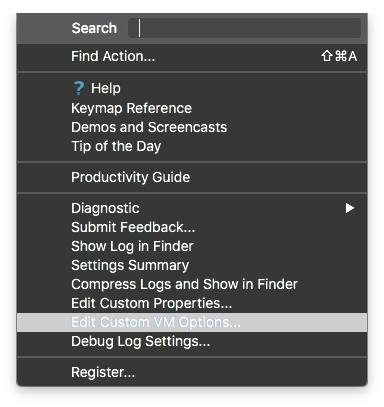
-Xms3072m -Xmx3072m - RubyMine File > Settings Repository > https://github.com/tanakaworld/RubyMine Increasing Memory Heap
- SourceTree
- SequelPro
- Dropbox
- Sync Selected Folder
- Share screenshots using Dropbox
- Evernote
- Zeplin